 ChatMD
 See how your notes connect Studio
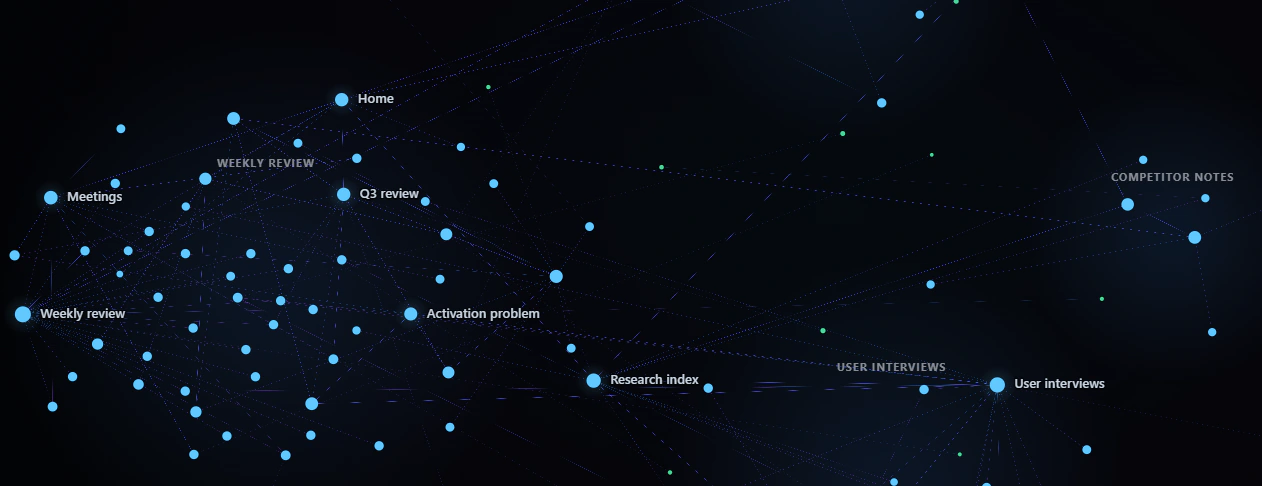
A live map of your notes, tags and real links as they exist. Nothing in the map is invented. It gathers notes into areas by folder, shows a local graph, and replays how the folder grew.
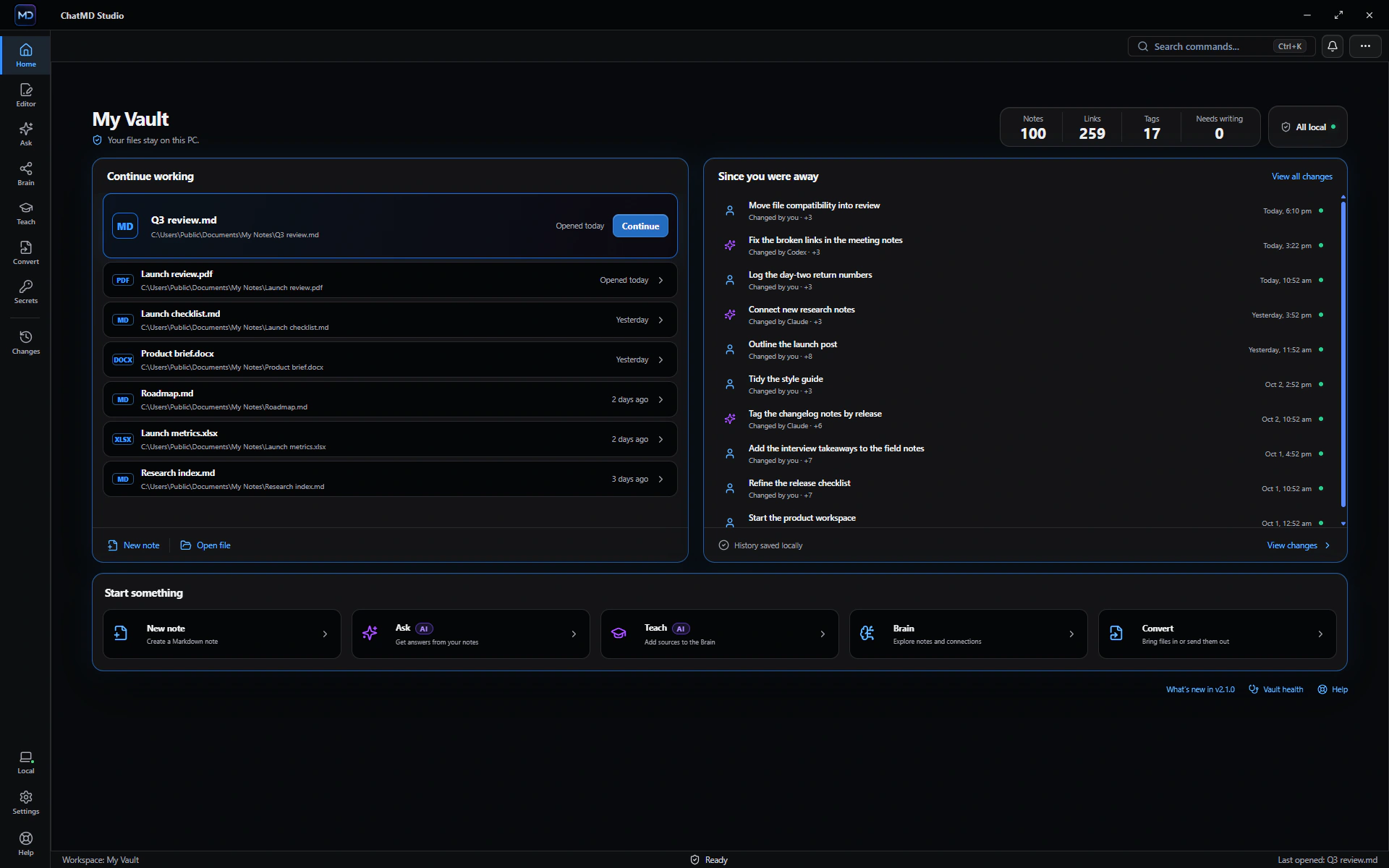
Write in Markdown, edit the Word and PDF files beside your notes, and ask your own notes questions with the AI you already use. No account needed. Nothing sent to us.
ChatMD Studio runs on Windows 10 and 11.
AI features use an assistant you already have or your own API key; provider charges may apply.
ASK & CHAT · STUDIO
Use Claude Code, Codex, Antigravity, Ollama or another assistant you already have — or your own Claude, OpenAI or Grok key. Choose which files a question may use, then open a citation and read the note it came from.
Ask
This note
The notes only partly answer this. They don't say outright why activation is flat, but they point to a likely cause.
Why it didn't improve
What we're doing
activation is even the right metric. Q3 reviewThe note doesn't report what the interviews or the second-session data showed. I only have Q3 review, not the linked notes such as Onboarding rewrite or Metrics that matter.
From your notes
Whole vault
Activation didn't improve because the work went into getting people started, and that wasn't the bottleneck. Getting them to come back is.
The notes don't say why people don't return. I only read the Q3 review, Activation problem, Onboarding rewrite and the grep hits for "activation". I didn't open the interview notes.
Recorded in English with Claude Code in ChatMD 2.2, over sample notes, and not edited. Nothing is sent to an AI while it plays.
ChatMD Studio does not include an AI account or resell model access. Choose the assistant for each question — these are the names in the app’s picker.
Assistants on this PC
ChatMD hands your question and the notes you chose to the assistant you pick. Ollama answers on this PC; the other tools make their own connections.
Or your own API key
Kept in Secrets, encrypted on this PC. A key allowed for Ask is confirmed before every run.
Your provider's plan, usage limits, privacy terms and possible charges still apply.
MORE THAN MARKDOWN
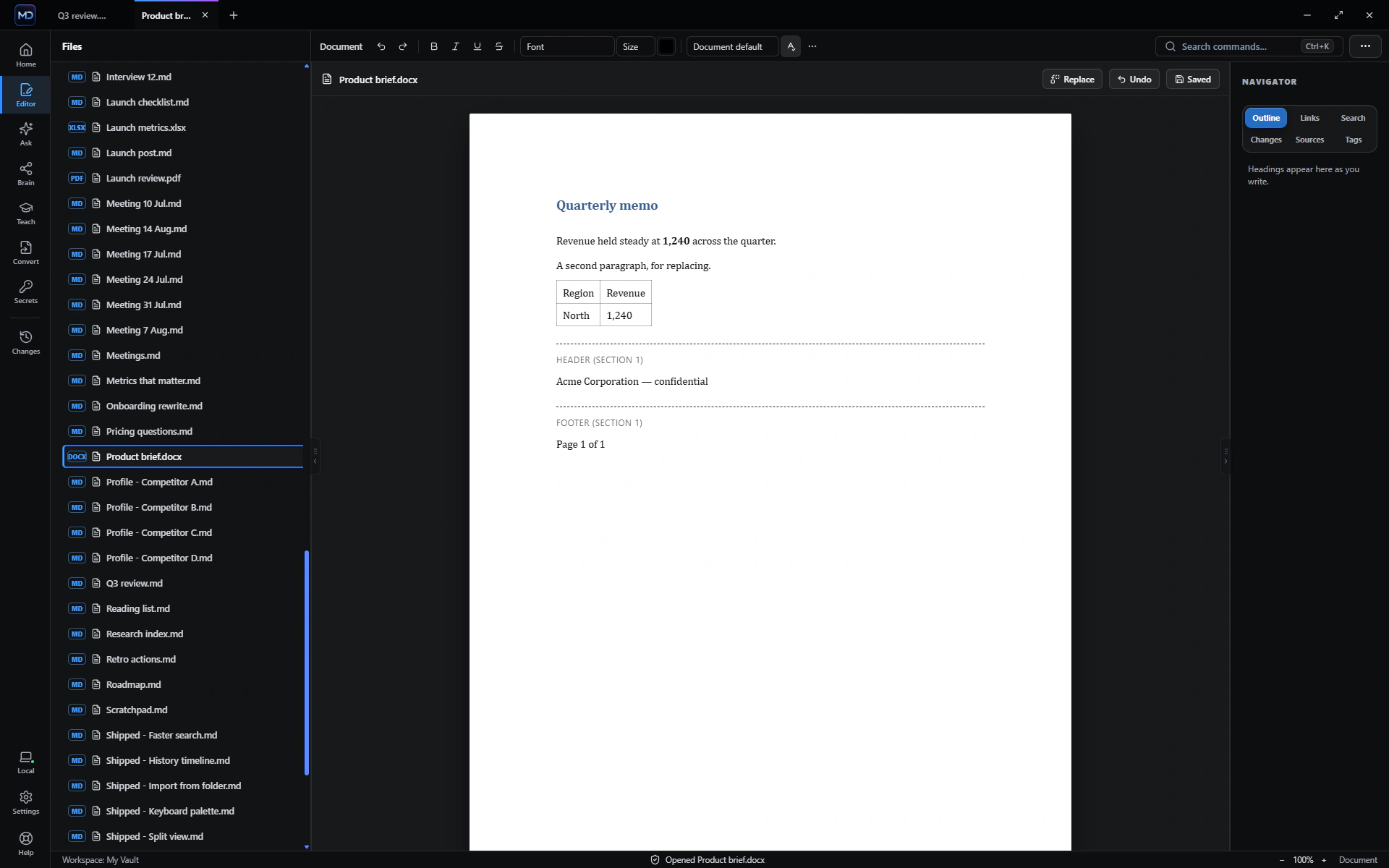
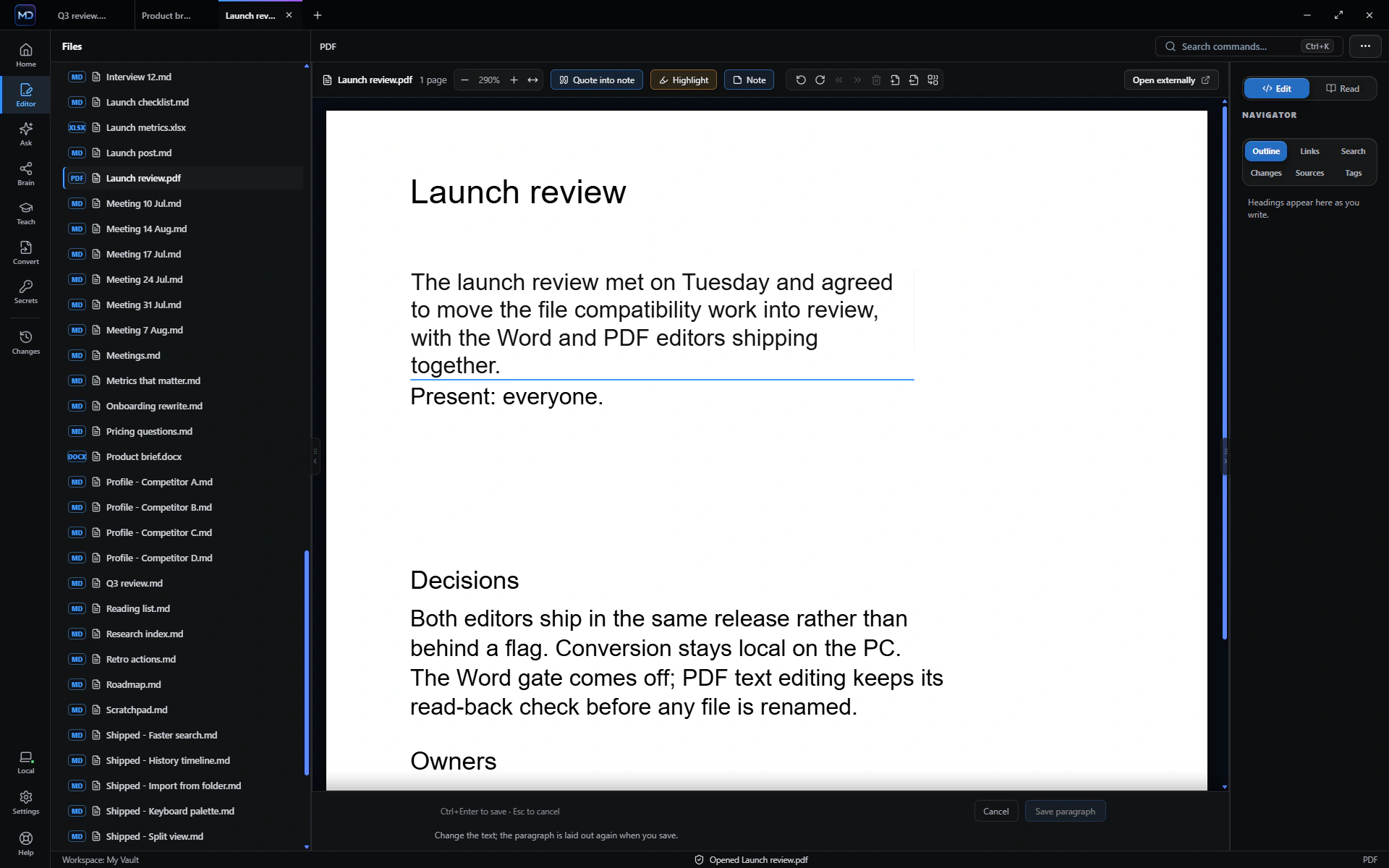
Word documents and PDFs open where they are and are edited where they are, beside your notes. Free, in the editor everyone gets.

Live Preview as you type, with links, tags, templates and search. An Obsidian vault opens as it is.
Edit a Word (.docx) document in place: its text, formatting, paragraph styles and pictures.
Edit PDFs with forms, highlights, notes, page tools, undo and redo.
Open, edit, read or convert each format through its safest supported path. ChatMD Studio explains the limits before a conversion runs.
LOCAL FIRST
Your notes stay on your PC. ChatMD Studio works on the folder you already have. The AI is the one you already use, and nothing is uploaded unless you send it.
ONE WORKSPACE
A live map of your notes, tags and real links as they exist. Nothing in the map is invented. It gathers notes into areas by folder, shows a local graph, and replays how the folder grew.
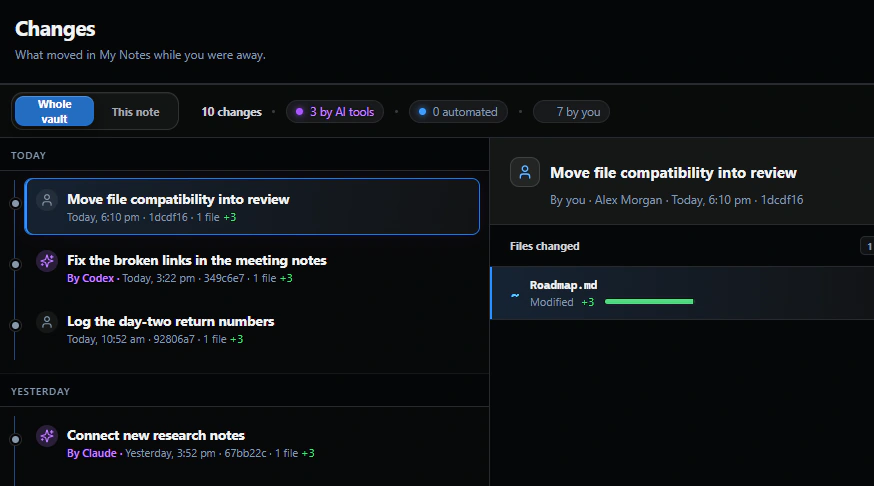
Changes shows what moved, line by line, and names the AI tool when the tool marks its commit.
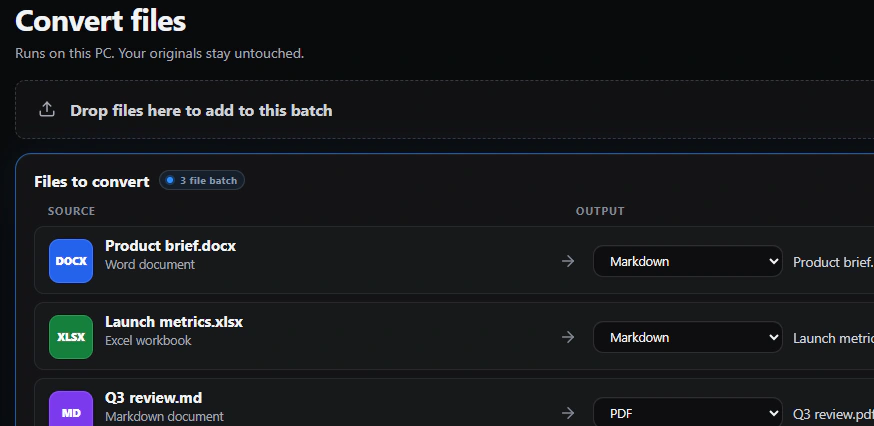
PDF, Office, EPUB, HTML and scans (offline OCR) become Markdown notes, free.
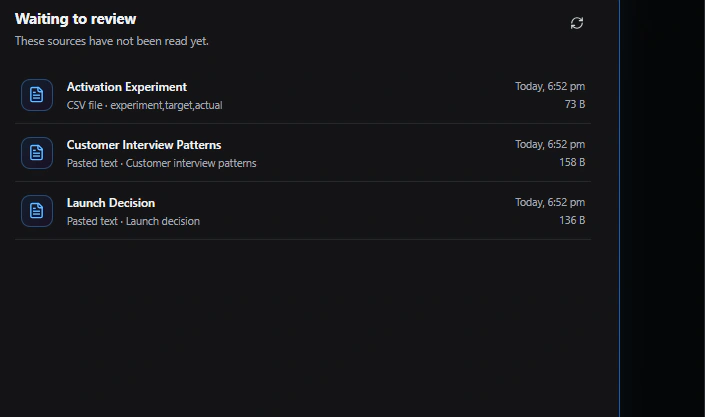
Add, review, then teach. Nothing is learned until you have read it.
Ctrl+K opens the command palette.
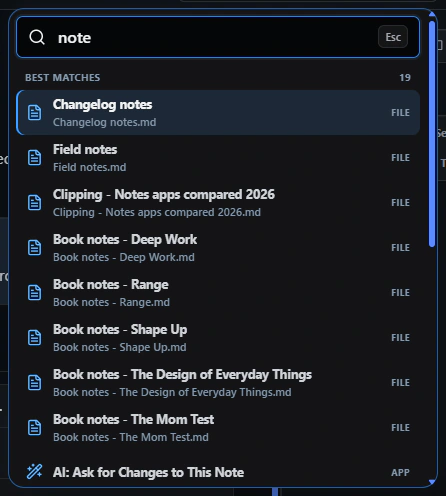
Search by words or by meaning. The meaning index is built with a local model and kept on this PC.
Open the vault as it is. There is nothing to import, and a read-only compatibility report shows what to expect.
A Properties section above a note shows its properties as fields you can edit. Search › Properties sets one property on many notes with one Undo.
On an Obsidian Bases board, drag a card to another column to change that note’s property. One Ctrl+Z puts it back.
Pasting gives you Markdown, and Copy for Word and Outlook goes the other way.
Quick capture (off by default) adds a line to today’s daily note from a hotkey. Tidy this note cleans up spacing, and Import from Evernote… brings in notes, tags, tasks and attachments.
SWITCHING TO CHATMD
An Obsidian vault opens as it is, with a read-only report of anything that works differently. Any other folder of Markdown files opens as it is too, whether it came from Typora, Zettlr, iA Writer or MarkText.
Bring in an Evernote export (.enex) with its tags, checklists and attachments.
Open a folder, press Ctrl+K and search for Import from Evernote…
Word, PDF, Excel, PowerPoint, OpenDocument, EPUB, HTML, CSV, SQLite and scanned pages become Markdown on your PC.
See all supported formatsLEFT OUT ON PURPOSE
A notes app sees everything you write. Here is what ChatMD leaves out, on purpose.
Install it and start writing. Signing in is optional.
The app has no analytics, usage tracking or crash reporting.
None in the app, and no advertising identifier.
Your notes stay as files on your PC. ChatMD has no server that stores or reads them.
ChatMD never receives your notes, so it can’t train on them. When you ask a cloud AI, what you send goes to that provider, under its own terms.
Ask and Teach go straight to the AI you choose, with no ChatMD server in between.
The editor is free. Studio is one payment.
Your notes are plain Markdown files in a folder you choose. Stop using ChatMD and they still open anywhere.
The app doesn’t check for updates itself. The Microsoft Store handles them.
Install it and start writing. Signing in is optional.
The app has no analytics, usage tracking or crash reporting.
None in the app, and no advertising identifier.
Your notes stay as files on your PC. ChatMD has no server that stores or reads them.
ChatMD never receives your notes, so it can’t train on them. When you ask a cloud AI, what you send goes to that provider, under its own terms.
Ask and Teach go straight to the AI you choose, with no ChatMD server in between.
The editor is free. Studio is one payment.
Your notes are plain Markdown files in a folder you choose. Stop using ChatMD and they still open anywhere.
The app doesn’t check for updates itself. The Microsoft Store handles them.
START FREE. UPGRADE ONCE.
Everything you need to write and keep your files.
Launch price $14.99 — then $24.99
Offer ends 3 November
Your notes start answering back.
Prices in US dollars, plus applicable tax.
One payment, no subscription, no trial timer, no limits on questions or files. Buy in the app or here; your key works on up to three of your PCs at once.

CHATMD STUDIO FOR WINDOWS 10 AND 11
The installer comes straight from the Microsoft Store. Studio is $14.99 once, in the app or here, whenever you want it. View it in the Microsoft Store